
Introduction
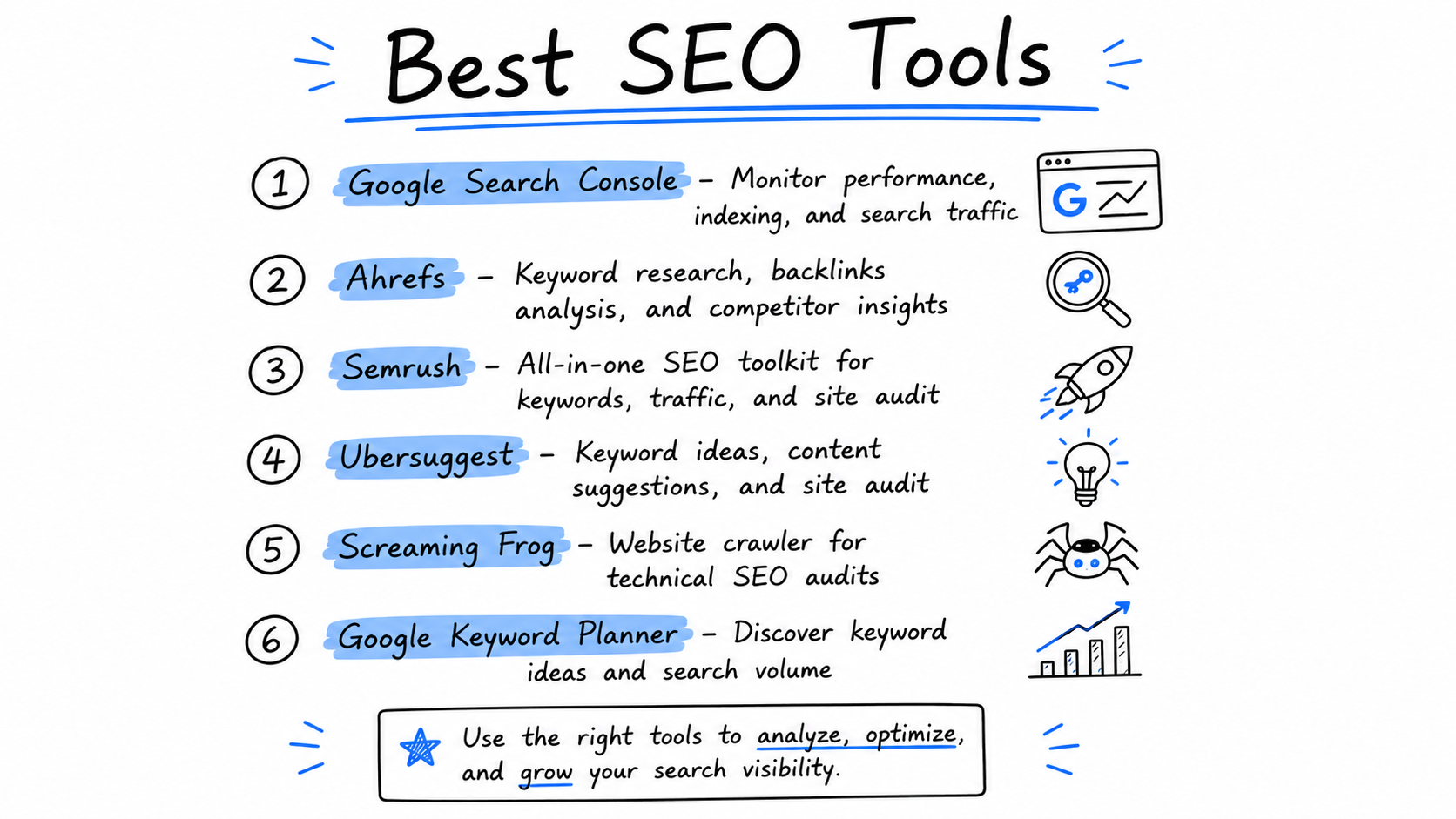
Search engine optimization is much easier when you have the right tools. Instead of guessing why your website isn't ranking or where your traffic comes from, SEO tools provide real data that helps you make smarter decisions. Whether you're researching keywords, monitoring rankings, fixing technical issues, or measuring website performance, the right tool can save time and improve your results.
The good news is that you don't need dozens of expensive SEO tools to succeed. Many of the most powerful tools are completely free, while a few premium tools offer advanced features for businesses, agencies, and growing websites. Choosing the right tool depends on your goals, budget, and the type of website you manage.
In this guide, you'll discover the best SEO tools for every stage of your SEO journey. Rather than simply listing software, we'll explain when to use each tool, the problems it helps solve, how to get the most value from it, and practical examples that show how these tools can improve your website's visibility, traffic, and search engine rankings.
Best Free & Paid SEO Tools
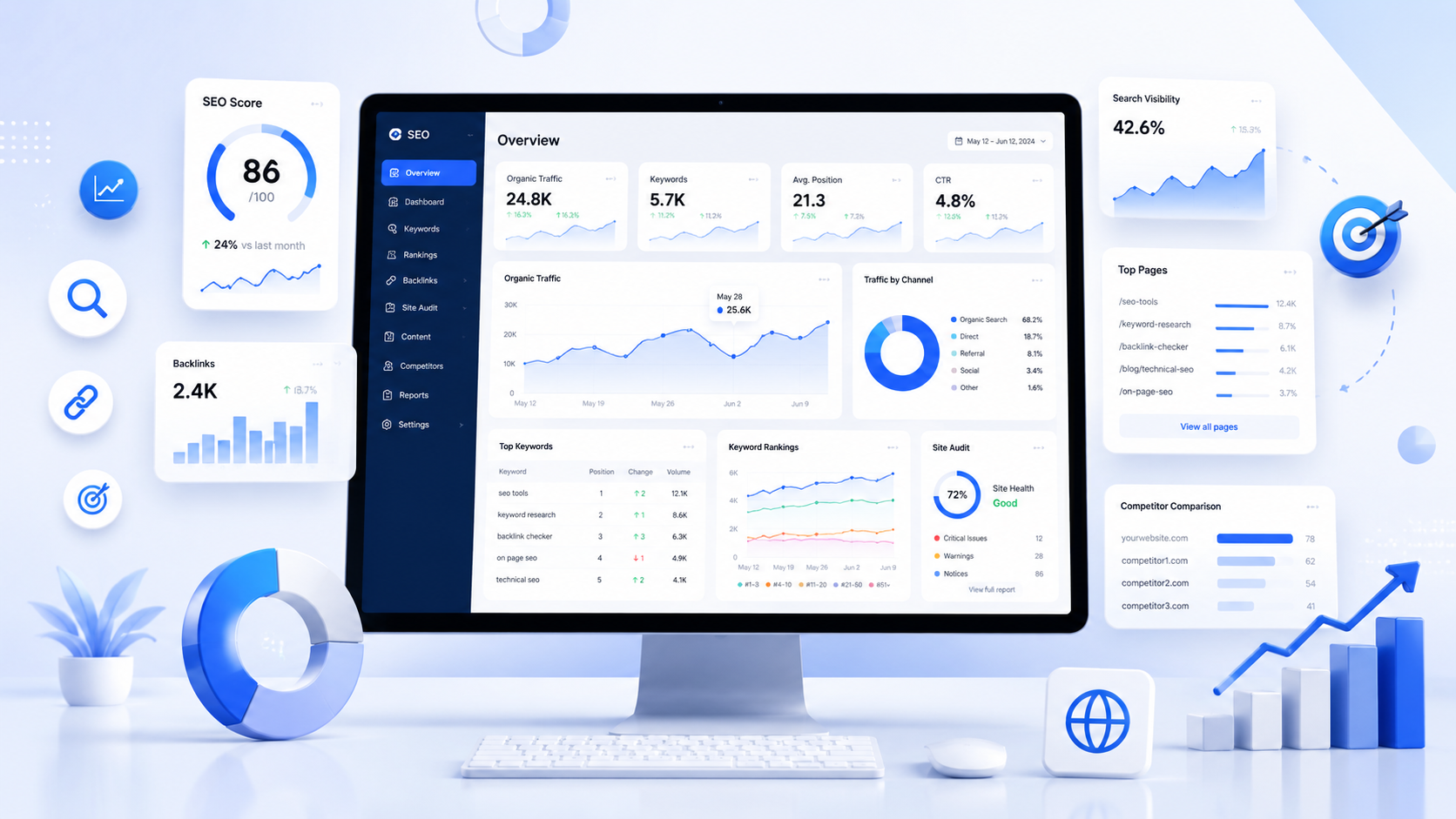
You don't need expensive software to improve your website's SEO. Google and several other companies offer powerful tools that help you monitor rankings, discover keywords, measure website performance, fix technical issues, and understand how people find your website. Click any tool below to jump directly to its guide.
Google Search Console
Monitor rankings, indexing, clicks, impressions and search performance.
Google Analytics 4 (GA4)
Understand your visitors, traffic sources and user behavior.
Google Keyword Planner
Find keyword ideas, search volume and competition.
Google Trends
Discover trending topics and compare keyword popularity.
Google PageSpeed Insights
Test website speed and improve Core Web Vitals.
Rich Results Test
Validate schema markup and preview rich search results.
Bing Webmaster Tools
Monitor your website's performance on Bing Search.
Ahrefs
Analyze backlinks, keywords, competitors, and website SEO performance.
SEMrush
Research keywords, audit websites, track rankings, and analyze competitors.
Screaming Frog SEO Spider
Crawl websites to find technical SEO issues and optimization opportunities.
Google Search Console
Google Search Console is one of the most important SEO tools available because it gives you data directly from Google. Instead of guessing how your website performs in search results, you can see which keywords people use, how often your pages appear, how many clicks they receive, and whether Google is experiencing any indexing or crawling issues.
Why You'll Need It
If your website suddenly loses traffic, a page isn't appearing on Google, or you want to know which search queries bring visitors to your site, Google Search Console should be your first stop. It helps you monitor your SEO performance and identify problems before they become serious.
Search Performance
View clicks, impressions, CTR and average ranking position.
Keyword Insights
Discover the exact search queries that bring visitors to your website.
Indexing Status
Check whether your important pages are indexed by Google.
URL Inspection
Inspect any page and request indexing after publishing updates.
Coverage Issues
Find crawl errors, redirects and indexing problems that need attention.
Core Web Vitals
Monitor page experience and performance reported by Google.
How to Use It
After verifying your website, open the Performance report. Review your clicks, impressions and average ranking position to identify pages that are performing well and pages that need improvement.
Next, check the Pages report to ensure your important pages are indexed correctly. Whenever you publish or update content, use the URL Inspection tool to request indexing so Google can discover your changes more quickly.
Verify Website
Open Performance
Find Opportunities
Fix Issues
Request Indexing
Real Example
Imagine your article about "Image Compressor" usually receives around 3,500 clicks every month. Suddenly, traffic drops to 1,900 clicks. Instead of guessing the reason, you open Google Search Console and notice that the page's average ranking has fallen from Position 3 to Position 11.
After reviewing the page, you update outdated information, improve internal links, optimize the title and meta description, and request indexing through the URL Inspection tool. Over the next few weeks, the page begins climbing back into the top search results, bringing your traffic back.
Free SEO Tool
Google Analytics 4 (GA4)
Google Analytics 4 helps you understand what visitors do after they arrive on your website. While Search Console tells you how people find your website, GA4 shows how they interact with your pages, where they come from, how long they stay, and whether they complete important actions such as submitting a form or making a purchase.
Why You'll Need It
Growing website traffic is only part of SEO. You also need to know what visitors do after they arrive. Google Analytics helps you identify your most popular pages, understand user behavior, measure conversions, and discover which traffic sources deliver the highest-quality visitors.
Website Visitors
See how many users visit your website every day, week and month.
Traffic Sources
Discover whether visitors come from Google Search, social media or referrals.
User Engagement
Measure engagement time, page views and returning visitors.
Top Pages
Find the pages that attract the most visitors and engagement.
Conversions
Track purchases, contact forms, downloads and other important actions.
Audience Insights
Learn about your visitors' devices, locations and interests.
How to Use It
Start by opening the Reports section to see how many visitors your website receives and where they come from. Pay close attention to the Traffic Acquisition report to understand whether your visitors arrive through Google Search, direct visits, social media, or other channels.
Next, review the Pages and Screens report to identify your best-performing content. If a page receives plenty of visitors but very few conversions, consider improving its content, call-to-action, or overall user experience.
Install GA4
Monitor Visitors
Check Traffic Sources
Analyze Top Pages
Improve Conversions
Real Example
Your website receives 5,000 visitors in one month. Google Analytics shows that 70% of them come from Google Search, but most visitors leave your pricing page within a few seconds without contacting you.
After redesigning the page, simplifying the content, and adding a clearer call-to-action, you notice visitors stay longer and more people submit your contact form. Instead of focusing only on traffic, GA4 helps you improve the quality of your visitors and increase conversions.
Google Keyword Planner
Every successful SEO strategy starts with choosing the right keywords. Google Keyword Planner helps you discover what people are searching for, estimate monthly search volume, compare keyword competition, and uncover new content ideas directly from Google's own data.
Why You'll Need It
Writing great content isn't enough if nobody is searching for it. Google Keyword Planner helps you understand which keywords have demand before you create a page or blog post. It can also reveal related search terms that you may never have considered, helping you attract more relevant visitors.
Keyword Ideas
Discover hundreds of related keyword suggestions for any topic.
Search Volume
Estimate how often people search for a keyword each month.
Competition
Compare keyword competition to choose realistic opportunities.
Content Ideas
Find new blog topics based on real search demand.
Keyword Comparison
Compare multiple keywords before deciding which one to target.
Seasonal Demand
Understand how search interest changes throughout the year.
How to Use It
Enter a word, phrase, or your website URL into Keyword Planner and Google will generate hundreds of related keyword ideas. Review the search volume, competition, and relevance of each keyword before deciding which topics to target.
Focus on keywords that closely match your audience's intent rather than simply choosing the highest search volume. Long-tail keywords often have lower competition and can bring highly targeted visitors who are more likely to engage with your content.
Enter a Topic
View Keyword Ideas
Compare Search Volume
Choose Best Keywords
Create Content
Real Example
You're planning to write a blog about image optimization. Instead of choosing a topic randomly, you compare keywords like "image compressor", "compress images online", and "reduce image size". Keyword Planner shows that one phrase has higher search demand while another has lower competition.
By selecting the keyword that best matches your audience and search intent, you create content with a stronger chance of ranking and attracting consistent organic traffic.

Free SEO Tool
Google Trends
Google Trends helps you discover what people are searching for right now and how search interest changes over time. It's an excellent tool for finding trending topics, comparing keywords, identifying seasonal demand, and planning content before your competitors.
Why You'll Need It
Some keywords are popular all year, while others only become popular during specific seasons or events. Google Trends helps you publish content at the right time, compare multiple keywords, and identify topics that are gaining popularity before they become highly competitive.
Trending Topics
Discover topics that are becoming more popular.
Compare Keywords
See which keyword receives more search interest over time.
Seasonal Trends
Identify keywords that peak during certain months.
Regional Interest
Find where a keyword is most popular by country or city.
Related Searches
Discover additional keywords people search for.
Content Planning
Publish content when search demand is increasing.
How to Use It
Enter one or more keywords into Google Trends and compare their popularity over different time periods. You can filter results by country, category, and date range to better understand your target audience and identify the best keyword for your content.
Before publishing a blog post or launching a new product, check whether search interest is increasing, decreasing, or remaining steady. This helps you focus on topics that have the greatest potential to attract visitors.
Enter Keywords
Compare Trends
Check Regions
Find Related Searches
Publish at the Right Time
Real Example
You plan to write a blog about "Black Friday Deals". Google Trends shows that searches start increasing in October, peak during November, and drop sharply afterward. Instead of publishing your article in late November, you publish it in early October, giving Google enough time to crawl and rank your content before search demand reaches its highest point.
By publishing at the right time instead of after the trend has peaked, your article has a better chance of attracting more visitors during the busiest shopping season.
Free SEO Tool
Google PageSpeed Insights
A fast website creates a better experience for visitors and can improve your search performance. Google PageSpeed Insights analyzes your pages and provides practical recommendations to help you load faster, improve Core Web Vitals, and reduce performance issues on both desktop and mobile devices.
Why You'll Need It
Even great content can struggle if a website loads slowly. PageSpeed Insights helps you identify what's slowing down your pages so you can improve loading speed, enhance user experience, and address performance issues that may affect SEO.
Performance Score
Measure how quickly your page loads on mobile and desktop.
Core Web Vitals
Check LCP, CLS and INP to evaluate the user experience.
Performance Suggestions
Receive actionable recommendations to improve page speed.
Mobile Testing
Evaluate how your website performs on smartphones.
Desktop Testing
Compare desktop performance with mobile results.
Optimization Tips
Learn how to compress images, reduce JavaScript, and improve loading times.
How to Use It
Paste your webpage URL into Google PageSpeed Insights and run a performance test. The report includes an overall performance score along with detailed recommendations that explain what's slowing down your website.
Focus first on high-impact improvements such as optimizing images, enabling browser caching, reducing unused CSS and JavaScript, and improving your Core Web Vitals. After making changes, run another test to measure the improvement.
Enter URL
Run Test
Review Report
Fix Issues
Test Again
Real Example
You test your homepage and receive a Performance Score of 58. The report shows large, uncompressed images and unused JavaScript are slowing down the page. It also reports a Largest Contentful Paint (LCP) of 4.8 seconds, which is slower than Google's recommended target.
After compressing images, removing unused code, and enabling browser caching, you test the page again. Your performance score improves to 92, pages load faster, and visitors enjoy a smoother browsing experience.

Free SEO Tool
Google Rich Results Test
Adding structured data is only the first step—you also need to make sure Google can read it correctly. Rich Results Test validates your schema markup, detects errors, and previews whether your page is eligible for rich results such as FAQs, recipes, products, reviews, and more.
Why You'll Need It
Even a small mistake in your schema markup can prevent Google from displaying rich results. This tool checks your page for errors and warnings before or after publishing, helping you improve your chances of earning enhanced search listings.
Validate Schema
Test JSON-LD and supported structured data.
Find Errors
Detect missing or invalid schema properties.
Preview Results
See whether your page qualifies for rich results.
Test Live URLs
Analyze published pages directly from your website.
Test Code
Paste schema code before publishing your page.
Improve Visibility
Increase the chances of earning enhanced search listings.
How to Use It
Paste your webpage URL or schema code into the Rich Results Test and start the analysis. Google will validate your structured data and identify any errors or warnings that should be fixed.
If your page is eligible for rich results, you'll see the supported result types. Resolve any issues before publishing to improve your chances of appearing with enhanced search features.
Real Example
You add FAQ schema to your blog article, but the FAQs don't appear in Google Search. After testing the page with Rich Results Test, you discover that one required property is missing. Once you fix the error and request re-indexing through Google Search Console, your page becomes eligible for rich results.
Free SEO Tool
Bing Webmaster Tools
While Google drives most search traffic, millions of users still search using Bing. Bing Webmaster Tools helps you monitor how your website performs in Bing Search, identify indexing issues, submit sitemaps, and improve your visibility across Microsoft's search ecosystem.
Why You'll Need It
If you want to maximize your organic traffic, don't ignore Bing. Bing Webmaster Tools provides valuable SEO reports, keyword insights, site scans, and indexing information that help you optimize your website beyond Google Search. It's also free and can even import data from Google Search Console, making setup quick and easy.
Search Performance
Monitor clicks, impressions and keyword rankings in Bing Search.
URL Inspection
Check whether individual pages are indexed correctly.
Site Scan
Automatically detect common technical SEO issues.
XML Sitemap
Submit your sitemap to help Bing discover your pages.
SEO Reports
Receive recommendations to improve your website's SEO.
Keyword Insights
Discover which search terms bring visitors from Bing.
How to Use It
Verify your website using Bing Webmaster Tools, then submit your XML sitemap so Bing can crawl and index your pages. Regularly review the Search Performance report to understand which keywords and pages generate traffic from Bing Search.
Use the Site Scan feature to identify broken links, missing metadata, and other technical SEO issues. Fixing these problems helps improve your website's visibility and overall user experience.
Verify Website
Submit Sitemap
Monitor Keywords
Run Site Scan
Fix SEO Issues
Real Example
You launch a new blog and submit your sitemap to Bing Webmaster Tools. A few days later, the Site Scan report identifies several pages with missing meta descriptions and broken internal links. After fixing these issues and requesting another scan, your pages begin appearing more consistently in Bing Search, helping you attract additional organic visitors beyond Google.

Paid SEO Tool
Ahrefs
Ahrefs is one of the most powerful all-in-one SEO platforms for keyword research, backlink analysis, competitor research, rank tracking, and technical SEO audits. Whether you're growing a blog, managing an online store, or running an SEO agency, Ahrefs provides the data needed to make informed SEO decisions.
Why You'll Need It
Free SEO tools are excellent for monitoring your own website, but they provide limited information about competitors. Ahrefs lets you discover which keywords competitors rank for, where their backlinks come from, which pages generate the most traffic, and what opportunities you can target to improve your own rankings.
Keyword Research
Discover valuable keywords with search volume and keyword difficulty.
Backlink Analysis
Explore backlinks pointing to your website or your competitors.
Competitor Research
See which keywords and pages drive traffic to competing websites.
Site Audit
Scan your website for technical SEO issues and improvement opportunities.
Rank Tracking
Monitor keyword rankings across multiple locations and devices.
Content Explorer
Find popular content and uncover new content ideas in your niche.
How to Use It
Start by entering your website or a competitor's domain into Site Explorer. Review the top-performing pages, organic keywords, and backlinks to understand what drives traffic. You can also use Keywords Explorer to discover new keyword opportunities and prioritize them based on search volume, difficulty, and search intent.
Regularly run a Site Audit to identify technical SEO issues such as broken links, duplicate content, slow-loading pages, or missing metadata. Combining competitor research with technical improvements helps build a stronger long-term SEO strategy.
Analyze a Website
Find Keywords
Study Competitors
Audit Your Site
Improve Rankings
Real Example
Your competitor ranks on the first page for "image compressor", but your website doesn't. Using Ahrefs, you discover they rank for over 250 related keywords and have earned backlinks from popular technology blogs. You identify several long-tail keywords they haven't fully optimized, create more comprehensive content, improve your internal linking, and begin reaching out to relevant websites for backlinks. Over time, your rankings improve and your organic traffic grows.
Paid SEO Tool
SEMrush
SEMrush is an all-in-one digital marketing platform that combines SEO, PPC, content marketing, competitor research, and website auditing into one dashboard. It's widely used by businesses, agencies, and marketing teams to discover growth opportunities and monitor website performance.
Why You'll Need It
If you want to understand why competitors outrank you, discover keyword opportunities, track rankings, and regularly audit your website, SEMrush makes all of these tasks easier from a single platform. It helps you make data-driven SEO decisions instead of relying on guesswork.
Keyword Research
Find valuable keywords and measure their ranking difficulty.
Position Tracking
Monitor your keyword rankings across search engines.
Competitor Analysis
Discover which keywords and pages drive competitor traffic.
Site Audit
Detect technical SEO problems before they impact rankings.
Backlink Analytics
Monitor backlinks and identify new link-building opportunities.
Content Ideas
Discover popular topics and optimize existing content.
How to Use It
Begin by adding your website as a project. Run a Site Audit to identify technical SEO issues, then use Position Tracking to monitor your target keywords. Explore the Keyword Magic Tool to discover new content opportunities and compare your performance with competitors.
Review competitor domains regularly to see which keywords they're ranking for and which pages attract the most traffic. These insights can inspire new content and help you improve existing pages.
Create Project
Run Site Audit
Track Rankings
Analyze Competitors
Grow Traffic
Real Example
Your website ranks on the second page for several important keywords. Using SEMrush, you discover competitors have more comprehensive articles, stronger backlinks, and better internal linking. After updating your content, fixing technical SEO issues, and targeting related keywords suggested by SEMrush, several pages move onto the first page of search results, resulting in a noticeable increase in organic traffic.
Paid SEO Tool Free Version Available
Screaming Frog SEO Spider
Screaming Frog SEO Spider is a desktop application that crawls your website just like a search engine. It helps you uncover technical SEO issues that are difficult to spot manually, including broken links, redirect chains, duplicate content, missing metadata, crawl errors, and much more. It's one of the most trusted tools used by SEO professionals worldwide.
Why You'll Need It
Technical SEO problems often go unnoticed because they aren't visible while browsing your website. Screaming Frog crawls every accessible page and creates detailed reports so you can identify issues before they affect search rankings, user experience, or website performance.
Website Crawling
Crawl thousands of pages to analyze your site's structure.
Broken Links
Find 404 errors and broken internal or external links.
Missing Metadata
Detect missing or duplicate title tags and meta descriptions.
Redirect Analysis
Identify redirect loops, chains, and incorrect redirects.
Duplicate Content
Locate duplicate pages, headings, and metadata.
XML Sitemap Review
Verify crawlable pages and validate your XML sitemap.
How to Use It
Install Screaming Frog SEO Spider on your computer and enter your website's URL. The software will crawl your website, collecting detailed information about every page, image, script, and internal link. Once the crawl finishes, review the reports to identify SEO issues that need attention.
Focus on fixing high-priority problems such as broken links, missing title tags, duplicate meta descriptions, redirect chains, and orphan pages. Running a crawl after major website updates helps ensure new technical issues haven't been introduced.
Enter Website
Crawl Site
Review Reports
Fix SEO Issues
Crawl Again
Real Example
Your website has grown to more than 500 pages, making manual SEO checks almost impossible. After crawling the site with Screaming Frog, you discover 37 broken links, 18 duplicate page titles, 24 missing meta descriptions, and several redirect chains slowing down page loading. After fixing these issues, search engines crawl your website more efficiently, visitors encounter fewer errors, and your overall technical SEO health improves significantly.
Recommended SEO Tool Stack for Beginners
You don't need expensive software to start improving your website's search rankings. Most beginners can achieve excellent results using free Google tools and add premium software only when their website, business, or client work begins to grow. Here's a practical SEO tool stack based on different experience levels.
Beginner (Free)
Perfect for personal blogs, new websites, students, and small businesses.
Google Search Console
Monitor search performance, indexing, and keyword rankings.
Google Analytics 4
Understand visitor behavior and traffic sources.
Google Keyword Planner
Discover keywords for new articles and landing pages.
Google PageSpeed Insights
Improve loading speed and Core Web Vitals.
Best For
New bloggers, portfolio websites, startups, freelancers, and anyone learning SEO without spending money.
Growing Website
Ideal for websites receiving regular traffic and publishing content consistently.
Everything in the Beginner Stack
Ahrefs
Competitor research, backlinks, and keyword opportunities.
Google Trends
Discover seasonal and trending search topics.
Rich Results Test
Validate schema markup before publishing.
Best For
Content creators, affiliate websites, niche blogs, SaaS websites, and growing online businesses.
Professional SEO
Built for agencies, SEO consultants, enterprise websites, and large online businesses.
Everything Above
SEMrush
Complete SEO, PPC, competitor, and content marketing platform.
Screaming Frog SEO Spider
Crawl your website to identify technical SEO problems.
Bing Webmaster Tools
Monitor indexing and keyword performance in Bing Search.
Best For
SEO agencies, enterprise websites, ecommerce stores, publishers, and professionals managing multiple websites.
Our Recommendation
If you're just getting started, focus on mastering Google Search Console, Google Analytics 4, Google Keyword Planner, and Google PageSpeed Insights. These free tools provide everything you need to understand your website, identify SEO opportunities, and improve performance.
As your website grows, consider investing in Ahrefs or SEMrush for advanced keyword research, competitor analysis, and backlink tracking. Finally, use Screaming Frog SEO Spider to perform regular technical SEO audits and ensure your website remains healthy as it scales.
Common SEO Mistakes Even the Best Tools Can't Fix
SEO tools provide valuable insights, but they don't automatically improve your rankings. Even the most advanced software can't compensate for poor content, a bad user experience, or an ineffective SEO strategy. Avoiding these common mistakes will have a much bigger impact than simply purchasing expensive SEO tools.
1. Publishing Thin or Low-Quality Content
Publishing short articles that provide little value is one of the biggest reasons websites struggle to rank. Search engines prioritize content that answers users' questions thoroughly and demonstrates expertise. Instead of creating dozens of shallow pages, focus on producing detailed, helpful, and well-structured content that genuinely solves problems.
2. Ignoring Search Intent
Ranking isn't just about using the right keywords. Your content must match what people actually expect when they search. For example, someone searching for "best SEO tools" wants comparisons and recommendations—not a technical explanation of how search engines work. Understanding informational, navigational, commercial, and transactional intent is essential.
3. Buying Spam Backlinks
Thousands of cheap backlinks may look attractive, but low-quality links often provide little value and can even harm your website. Instead of buying links, focus on earning backlinks naturally through useful content, original research, tools, guides, and genuine outreach to relevant websites.
4. Using Slow or Unreliable Hosting
Even perfectly optimized pages can perform poorly if your hosting is slow. Slow loading times negatively affect user experience, increase bounce rates, and may reduce search visibility. Choose reliable hosting, optimize images, enable caching, and use a content delivery network (CDN) when appropriate.
5. Creating Duplicate Content
Publishing multiple pages that target the same topic or contain nearly identical information can confuse search engines. Consolidate overlapping content, use canonical tags where necessary, and ensure every page has a unique purpose and provides distinct value.
6. Keyword Stuffing
Repeating the same keyword unnaturally throughout a page doesn't improve rankings. Modern search engines understand context and related terms. Write naturally for your audience, use descriptive headings, and include relevant keywords only where they make sense.
7. Poor Internal Linking
Internal links help search engines understand your website's structure while guiding visitors to related content. Important pages should never be isolated. Create logical connections between articles, categories, and landing pages using descriptive anchor text.
8. Never Updating Existing Content
Search results change over time. Statistics become outdated, competitors publish better content, and user expectations evolve. Regularly reviewing and updating your existing articles helps maintain accuracy, improve rankings, and keep visitors engaged.
9. Missing or Incorrect Schema Markup
Structured data helps search engines better understand your content and may make your pages eligible for rich results. Missing, incomplete, or invalid schema won't necessarily prevent ranking, but it can reduce your visibility in search results. Always validate your markup before publishing.
10. Forgetting Mobile Optimization
Most searches now happen on mobile devices, making a responsive website essential. Small text, slow loading pages, poor navigation, and difficult-to-use layouts can frustrate visitors and reduce engagement. Test your website on different screen sizes and prioritize a fast, mobile-friendly experience.
Key Takeaway
SEO tools are designed to identify opportunities and highlight problems—they don't replace quality content, thoughtful optimization, or a strong user experience. The best results come from combining reliable SEO tools with valuable content, sound technical practices, and a long-term strategy focused on helping your audience.
Summary
SEO tools are designed to help you make informed decisions—not guarantee higher rankings. Whether you're researching keywords, monitoring website performance, fixing technical issues, or analyzing competitors, the right combination of tools can save time and improve your SEO strategy. Free tools like Google Search Console, Google Analytics 4, Google Keyword Planner, Google Trends, PageSpeed Insights, Rich Results Test, and Bing Webmaster Tools provide an excellent foundation, while professional platforms such as Ahrefs, SEMrush, and Screaming Frog SEO Spider offer advanced insights for growing websites and businesses. Choosing tools that match your goals, budget, and experience level allows you to focus on meaningful improvements rather than collecting unnecessary data.
Final Thoughts
The most effective SEO strategy isn't about using the most expensive software—it's about consistently applying the insights your tools provide. Regularly monitor your website's performance, publish high-quality content that matches search intent, resolve technical issues, improve page speed, and keep your content updated as search trends evolve. Small, consistent improvements often produce better long-term results than chasing quick SEO wins.
Whether you're managing a personal blog, an ecommerce store, a local business website, or a large enterprise, combining reliable SEO tools with a user-first approach will help you build sustainable organic traffic over time. Start with the essential free tools, expand your toolkit as your website grows, and remember that lasting SEO success comes from providing genuine value to your audience while continuously optimizing your website based on real data.