
Introduction
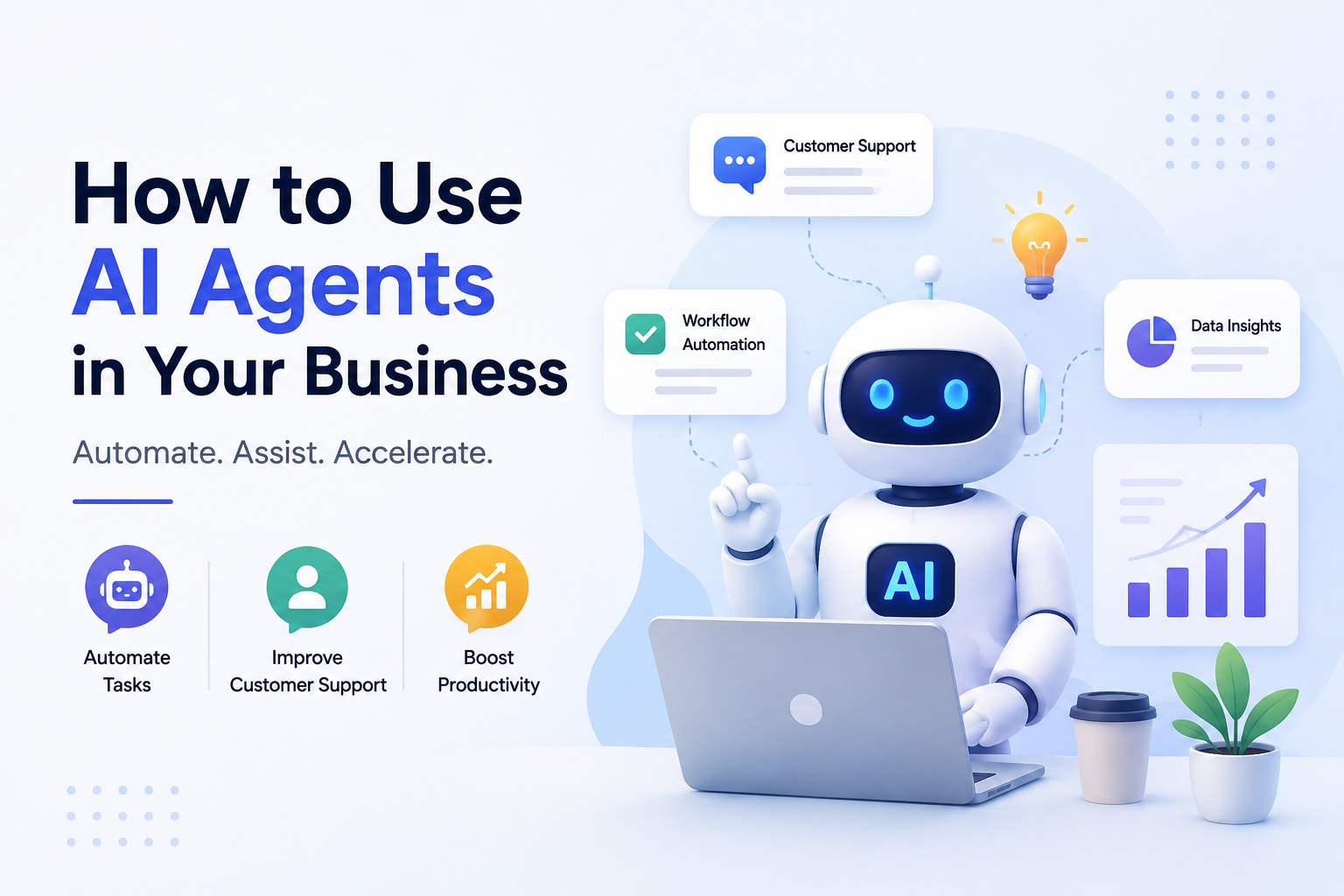
Artificial intelligence has moved far beyond simple chatbots and text generators. Today, businesses of every size are adopting AI agents to automate repetitive work, improve customer experiences, and help teams accomplish more with fewer manual tasks. From answering customer questions and qualifying leads to scheduling meetings and analyzing business data, AI agents are quickly becoming valuable digital assistants across almost every industry.
Many people confuse AI agents with traditional AI tools, but they're not the same thing. An AI tool usually performs one specific task after receiving a direct instruction, such as writing an email or generating an image. An AI agent, on the other hand, can make decisions, complete multiple steps, interact with different applications, and continue working toward a goal with minimal human intervention. This ability to plan and execute tasks makes AI agents far more powerful for business automation.
Businesses are investing in AI agents because they help save time, reduce operating costs, and improve productivity. Instead of spending hours answering routine questions, updating spreadsheets, creating reports, or following up with customers, employees can focus on strategic work while AI agents handle repetitive processes. This leads to faster response times, better customer satisfaction, and more efficient business operations without requiring large teams.
The best part is that AI agents aren't limited to large enterprises. Small businesses, freelancers, agencies, online stores, consultants, and startups can all benefit from using AI to automate everyday workflows. Whether you want to improve customer support, generate marketing content, organize appointments, or streamline internal operations, there's an AI agent that can help.
In this guide, you'll learn what AI agents are, how they work, where they provide the most value, how different industries use them, common mistakes to avoid, and practical steps for implementing AI agents in your own business. By the end, you'll understand how to use AI responsibly to increase efficiency, reduce costs, and create smarter business workflows.
What Is an AI Agent?
An AI agent is an intelligent software system that can understand a goal, make decisions, perform tasks, and interact with different tools or applications to achieve an objective. Unlike traditional software that waits for every instruction, an AI agent can plan multiple steps, adapt to changing situations, and complete work with minimal human supervision.
Think of an AI agent as a digital employee rather than a simple assistant. Instead of only answering questions, it can gather information, analyze data, communicate with other systems, and complete entire workflows automatically.
Simple Definition
An AI agent is software that observes information, makes decisions based on predefined goals, takes action, and learns from feedback to improve future results. Its purpose is to complete tasks with as little human intervention as possible.
How AI Agents Work
Every AI agent follows a simple cycle. It first receives a goal or request, collects relevant information, decides the best course of action, performs the necessary tasks, and finally evaluates the outcome. Some advanced AI agents repeat this process automatically until the goal has been achieved.
AI Agent vs Traditional Software
Traditional software follows fixed rules and requires users to manually complete each step. AI agents are more flexible because they can analyze situations, make decisions, and execute multiple actions without requiring constant instructions.
Why AI Agents Are Different
The biggest advantage of AI agents is their ability to combine reasoning, automation, and external tools into a single workflow. For example, an AI agent can receive a customer inquiry, search a knowledge base, prepare a personalized response, schedule a follow-up meeting, update your CRM, and notify your sales team—all without requiring someone to perform each task manually.
AI Tool vs AI Agent
| Feature | AI Tool | AI Agent |
|---|---|---|
| Purpose | Performs one specific task | Completes an entire workflow |
| Decision Making | Limited | Can make task-based decisions |
| Automation | Usually one action | Multiple connected actions |
| External Apps | Limited integration | Works across multiple systems |
| Human Input | Required for every task | Only for goals or approvals |
Why Businesses Are Using AI Agents
Businesses are under constant pressure to deliver better customer experiences while keeping costs under control. AI agents help solve this challenge by automating repetitive work, supporting employees, and completing tasks faster than traditional manual processes. Instead of replacing people, AI agents allow teams to spend more time on strategic, creative, and high-value work.
Whether you're running a small business or a large enterprise, AI agents can improve productivity across multiple departments. Here are some of the biggest reasons organizations are adopting them.
Save Valuable Time
AI agents can automate routine tasks such as replying to emails, scheduling meetings, organizing data, generating reports, and answering frequently asked questions. What once took hours can often be completed in minutes, allowing employees to focus on more important work.
Reduce Operating Costs
By handling repetitive processes automatically, AI agents reduce the amount of manual work required each day. This improves operational efficiency and helps businesses accomplish more without continually increasing staffing costs.
Deliver Better Customer Support
Customers expect quick responses at any time of the day. AI agents can answer common questions, provide product recommendations, track orders, and escalate complex issues to human support teams when necessary, creating a faster and more consistent customer experience.
Increase Employee Productivity
Instead of spending time on repetitive administrative work, employees can focus on innovation, customer relationships, business strategy, and decision-making. AI agents act as digital assistants that support teams rather than replace them.
Operate Around the Clock
Unlike human teams, AI agents can work 24 hours a day without breaks. They continue handling customer inquiries, monitoring systems, processing requests, and updating records even outside normal business hours.
Scale as Your Business Grows
As your customer base grows, AI agents can manage larger workloads without requiring major operational changes. This makes it easier to expand into new markets, serve more customers, and maintain consistent service quality while keeping costs predictable.
Key Business Benefits
- ✓ Automates repetitive and time-consuming tasks.
- ✓ Reduces operational expenses.
- ✓ Provides faster customer support.
- ✓ Increases employee productivity.
- ✓ Works 24/7 without downtime.
- ✓ Helps businesses grow without adding unnecessary complexity.
Where AI Agents Can Help Your Business
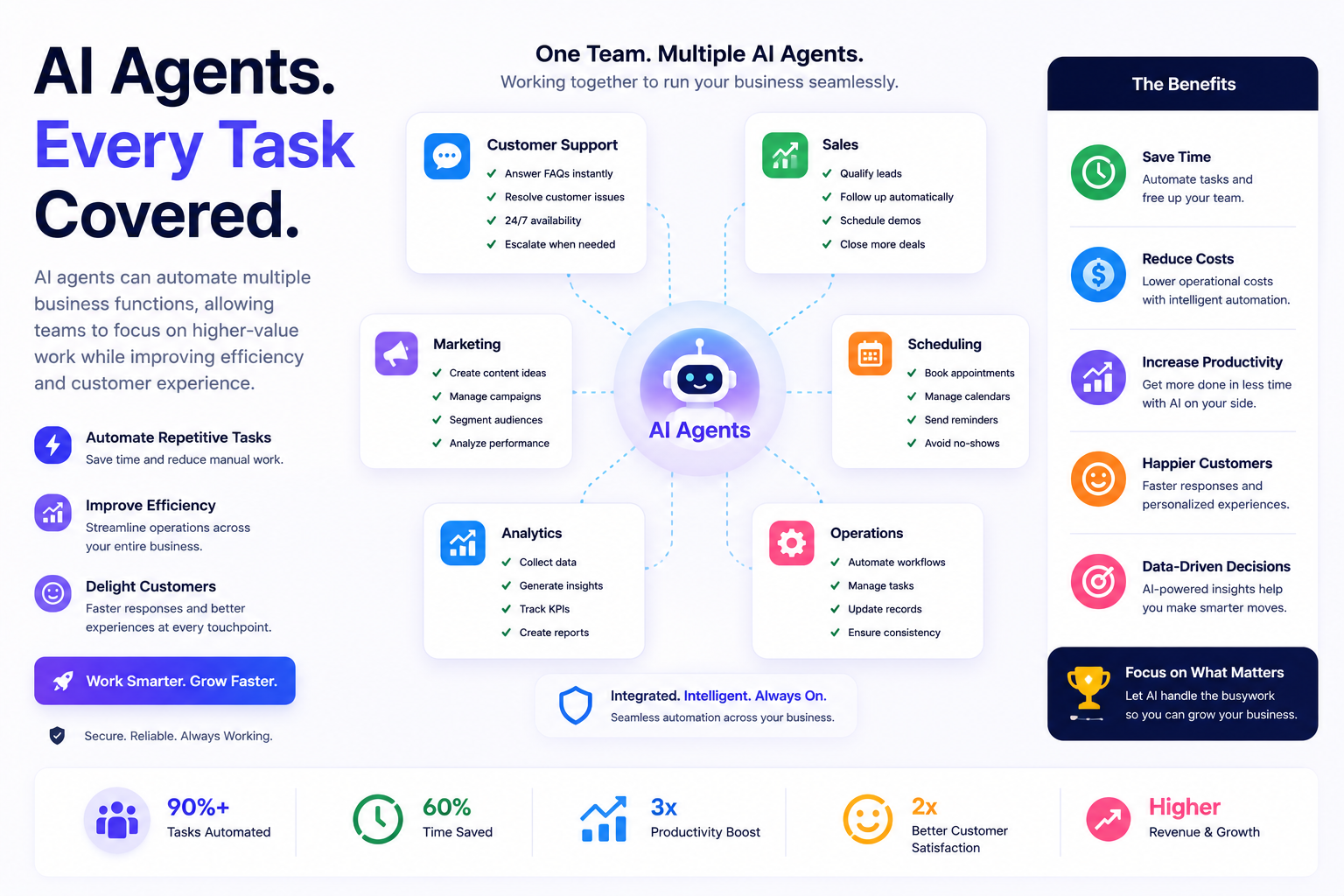
One of the biggest advantages of AI agents is their flexibility. They aren't limited to a single department or task. Instead, they can support sales, marketing, customer service, finance, human resources, and day-to-day operations. By automating repetitive processes, AI agents allow businesses to work more efficiently while improving both employee productivity and customer satisfaction.
Whether you're a freelancer managing clients or a growing company handling thousands of customers, AI agents can streamline many routine activities. Here are some of the most valuable business use cases.
Customer Support
AI agents can answer common customer questions, provide order updates, resolve simple issues, and transfer complex requests to human support teams. This reduces response times while improving the overall customer experience.
Sales & Lead Qualification
Instead of manually responding to every inquiry, AI agents can collect customer information, qualify leads, recommend products or services, and schedule meetings for your sales team.
Marketing Automation
AI agents can help create campaign ideas, write marketing emails, generate ad copy, analyze campaign performance, and suggest improvements based on customer behavior.
Email Management
Sorting inboxes, prioritizing important messages, drafting replies, and scheduling follow-ups are repetitive tasks that AI agents can automate, helping teams spend less time managing email.
Appointment Scheduling
AI agents can coordinate calendars, confirm appointments, send reminders, and automatically reschedule meetings when conflicts arise, reducing administrative work.
Content Creation
Businesses can use AI agents to brainstorm topics, prepare outlines, draft blog posts, create social media captions, generate newsletters, and repurpose existing content for multiple platforms.
Social Media Management
AI agents can plan posting schedules, suggest content ideas, monitor engagement, reply to common comments, and generate reports that help improve your social media strategy.
Finance & Accounting
From organizing invoices and tracking expenses to generating financial summaries and payment reminders, AI agents can simplify many routine accounting processes while reducing manual errors.
Human Resources
HR teams can use AI agents to screen resumes, answer employee questions, schedule interviews, onboard new hires, and automate repetitive administrative tasks.
Business Analytics
AI agents can collect data from multiple systems, generate dashboards, identify trends, summarize reports, and provide actionable insights that help business owners make informed decisions faster.
AI Agents Can Support Almost Every Department
Sales
Lead qualification, follow-ups, CRM updates.
Marketing
Content creation, email campaigns, analytics.
Customer Support
24/7 assistance, FAQs, ticket routing.
Operations
Scheduling, reporting, workflow automation.
Finance
Invoices, expense tracking, financial summaries.
Human Resources
Recruitment, onboarding, employee support.
Real-World Examples of AI Agents in Different Industries
One of the biggest advantages of AI agents is their ability to adapt to different industries. While the underlying technology is similar, the tasks they perform depend on the needs of each business. From handling customer inquiries to automating repetitive workflows, AI agents are helping organizations become faster, more efficient, and more responsive.
Here are some practical examples of how businesses across different industries are using AI agents to improve their daily operations.
Small Business
A local business can use an AI agent to answer customer questions, manage appointments, send invoices, follow up with leads, and generate weekly business reports. This reduces administrative work while improving customer service.
E-commerce Store
Online stores use AI agents to recommend products, answer order-related questions, recover abandoned carts, track inventory, monitor product reviews, and personalize shopping experiences for customers.
Marketing Agency
Marketing agencies automate content planning, campaign reporting, competitor research, lead qualification, and client communication. AI agents can even generate first drafts of proposals and marketing strategies.
Real Estate Agency
AI agents help real estate businesses qualify buyer inquiries, recommend suitable properties, schedule property visits, send follow-up emails, and organize client information inside CRM systems.
Restaurant
Restaurants can use AI agents to handle reservations, answer menu questions, process online orders, collect customer feedback, and send promotional offers to returning customers automatically.
Healthcare Clinic
Healthcare providers use AI agents to schedule appointments, remind patients about upcoming visits, answer common questions, organize administrative records, and reduce the workload on front-desk staff.
Educational Institution
Schools and online learning platforms use AI agents to answer student questions, recommend learning resources, track progress, schedule classes, and provide personalized learning support.
Freelancer or Consultant
Freelancers use AI agents to draft proposals, manage emails, schedule meetings, generate invoices, organize projects, summarize client meetings, and automate repetitive administrative tasks so they can spend more time delivering client work.
One Technology, Endless Possibilities
Although every industry has different requirements, most AI agents perform the same core activities:
- ✓ Answer customer questions.
- ✓ Automate repetitive business tasks.
- ✓ Organize and analyze business data.
- ✓ Schedule meetings and appointments.
- ✓ Generate reports and business insights.
- ✓ Improve productivity while reducing operational costs.
How to Successfully Implement AI Agents in Your Business
Many businesses fail with AI not because the technology is ineffective, but because they try to automate everything at once. The most successful companies start with one repetitive business problem, measure the results, and expand gradually. You don't need dozens of AI agents—you need the right one solving the right problem.
Follow this practical implementation framework to maximize your return on investment while avoiding common mistakes.
Step 1: Find Tasks That Waste Time
Spend one week observing how your team works. Look for tasks that are repetitive, rule-based, and performed multiple times every day. These are usually the best candidates for automation.
Great automation opportunities include:
- • Answering the same customer questions.
- • Booking appointments.
- • Following up with leads.
- • Updating spreadsheets or CRM records.
- • Preparing weekly reports.
- • Responding to routine emails.
Step 2: Calculate the Business Impact
Don't automate tasks simply because AI can do them. Prioritize tasks that consume the most time or directly affect revenue and customer satisfaction.
Example
If two employees spend 2 hours every day replying to repetitive customer emails, that's roughly 80 hours every month. Even automating half of those replies gives your team dozens of extra hours to focus on sales, product development, or customer relationships.
Step 3: Start With One Workflow
Resist the temptation to automate your entire business immediately. Choose one workflow, deploy one AI agent, monitor its performance, and improve it before expanding into other departments. This approach reduces risk and makes it much easier to measure results.
Step 4: Keep Humans in the Loop
AI agents are excellent at repetitive work, but humans should still review important decisions involving legal matters, finance, hiring, healthcare, or customer disputes. Think of AI as an assistant that accelerates work—not as a replacement for professional judgment.
Step 5: Measure Real Results
The success of an AI agent should be measured using business outcomes, not how "smart" it appears. Track improvements over time and continue refining your workflows.
Metrics worth tracking:
- ✓ Hours saved every week.
- ✓ Faster customer response times.
- ✓ Increase in qualified leads.
- ✓ Lower operating costs.
- ✓ Higher customer satisfaction.
- ✓ Increased revenue per employee.
Real Business Transformation
Imagine a small marketing agency receiving 60 enquiries every week. Before AI, one employee manually replied to every enquiry, qualified leads, booked meetings, updated the CRM, and sent reminders.
After implementing an AI agent, enquiries are answered instantly, qualified automatically, meetings are scheduled without human involvement, and client information is added to the CRM in real time. The employee now spends their day closing deals instead of performing repetitive administrative work.
That's the real value of AI agents—not replacing people, but allowing people to spend more time on work that actually grows the business.
Which AI Agent Should You Build First?
If you're new to AI agents, don't try to automate your entire business on day one. The fastest results usually come from solving one repetitive problem exceptionally well. Choose an AI agent that saves time every single day, proves its value quickly, and is easy to measure.
The recommendations below can help you decide where to begin based on your business type.
| Business | First AI Agent to Build | Expected Benefit |
|---|---|---|
| Small Business | Customer Support Agent | Faster replies and fewer repetitive questions. |
| E-commerce | Shopping & Order Assistant | Higher conversions and better customer experience. |
| Agency | Lead Qualification Agent | Less time filtering leads and more time closing deals. |
| Restaurant | Reservation Agent | Automated bookings and fewer missed calls. |
| Real Estate | Property Inquiry Agent | Instant responses and qualified buyers. |
| Freelancer | Client Management Agent | Automated proposals, follow-ups, and scheduling. |
Start With Your Biggest Bottleneck
Every business has one task that consumes more time than it should. It might be answering customer questions, qualifying leads, scheduling meetings, preparing reports, or following up with clients. That's where your first AI agent should focus.
Once that workflow is running smoothly, move on to the next repetitive task. Building several small, reliable AI agents usually delivers better results than trying to create one agent that does everything.
Pro Tip
Choose an AI agent that saves at least 30 to 60 minutes every day. That single improvement can save hundreds of working hours over a year while allowing your team to focus on activities that directly grow the business.
How to Measure the ROI of AI Agents
Implementing an AI agent is an investment, so it's important to measure whether it's delivering real business value. Instead of focusing only on how advanced the technology is, evaluate how much time it saves, how much money it reduces in operational costs, and whether it improves customer satisfaction or revenue.
The best AI agents produce measurable business outcomes. Before launching an AI agent, record your current performance so you have a clear baseline for comparison after implementation.
Measure Time Saved
Track how many hours employees spend on repetitive tasks before and after introducing an AI agent. Even saving one hour per employee each day can create significant productivity gains over a year.
Monitor Cost Reduction
Compare operational costs before and after automation. Look for reductions in manual work, overtime, customer support expenses, and repetitive administrative tasks.
Track Customer Satisfaction
Faster response times and quicker issue resolution often improve customer satisfaction. Monitor feedback, reviews, support ratings, and response times to determine whether the AI agent is creating a better customer experience.
Measure Revenue Growth
Some AI agents directly influence sales by qualifying leads, recovering abandoned carts, recommending products, or responding to enquiries instantly. Compare conversion rates and revenue before and after implementation.
Review Employee Productivity
Productivity isn't about working longer hours—it's about completing more valuable work. If your team spends less time on repetitive tasks and more time on sales, strategy, customer relationships, or product development, your AI agent is creating measurable value.
ROI Dashboard
- ✓ Hours saved each week.
- ✓ Average customer response time.
- ✓ Cost per support request.
- ✓ Lead-to-customer conversion rate.
- ✓ Customer satisfaction score.
- ✓ Monthly operational cost savings.
- ✓ Revenue generated through AI-assisted workflows.
- ✓ Employee productivity improvements.
Real Example
Imagine a customer support team handling 400 enquiries each week. If an AI agent automatically resolves 60% of routine questions, employees can spend their time solving complex issues instead of answering repetitive requests. The result is faster response times, happier customers, lower operating costs, and a higher return on investment—all without increasing team size.
Common Mistakes Businesses Make with AI Agents
AI agents can deliver impressive results, but only when they're implemented thoughtfully. Many businesses become disappointed because they expect AI to solve every problem overnight or deploy it without proper planning. Understanding the most common mistakes can help you avoid unnecessary costs, poor customer experiences, and failed automation projects.
Before investing more time or money into AI, make sure your business isn't making one of these common mistakes.
Trying to Automate Everything at Once
One of the biggest mistakes is attempting to automate every department immediately. Start with one repetitive workflow, prove its value, and then expand gradually. Small, successful projects build confidence and reduce implementation risks.
Choosing Technology Before Identifying the Problem
Many businesses purchase AI tools first and only later try to find a use for them. Instead, identify the biggest business challenge you're trying to solve, then choose an AI solution that addresses that specific need.
Ignoring Human Oversight
AI agents should assist employees—not replace human judgment. Important decisions involving finance, legal matters, healthcare, hiring, or customer complaints should always be reviewed by qualified people.
Using Poor Instructions
AI agents perform better when given clear goals, accurate business rules, and complete information. Vague instructions often lead to inconsistent or incorrect results.
Forgetting Data Security
AI agents often process customer information, internal documents, and business data. Protect sensitive information by using secure systems, limiting access permissions, and following your organization's privacy policies.
Never Measuring Performance
If you don't measure results, you won't know whether your AI investment is actually helping your business. Track key metrics such as time saved, customer satisfaction, operational costs, and revenue improvements to evaluate success.
Before You Launch an AI Agent
- ✓ Solve one business problem first.
- ✓ Define clear goals and success metrics.
- ✓ Keep humans involved in critical decisions.
- ✓ Protect customer and business data.
- ✓ Test thoroughly before full deployment.
- ✓ Continuously monitor and improve performance.
Best Practices for Using AI Agents
AI agents deliver the best results when they're treated as long-term business assets rather than one-time software purchases. A well-designed AI workflow continues to improve over time through testing, feedback, and regular optimization. Following these best practices will help you maximize productivity while minimizing risks.
Whether you're deploying your first AI agent or expanding automation across multiple departments, these recommendations will help you build reliable and scalable AI workflows.
Start Small and Scale Gradually
Begin with one repetitive workflow that produces measurable results. Once the process is stable and delivering value, expand AI into other areas of your business instead of trying to automate everything at once.
Give AI Clear Objectives
AI agents perform best when they have clear instructions, defined responsibilities, and specific business goals. The more precise your workflows are, the more consistent the results will be.
Keep Humans in Control
Allow AI agents to automate repetitive work, but keep people responsible for important business decisions, customer relationships, legal matters, and strategic planning.
Monitor Performance Regularly
Review response quality, customer feedback, task completion rates, and business outcomes regularly. Continuous monitoring helps identify opportunities to improve your AI workflows.
Protect Customer Data
AI agents often process sensitive information. Follow security best practices, restrict access where appropriate, and ensure your workflows comply with relevant privacy regulations and company policies.
Continuously Improve Your Workflows
Your business will change over time, and your AI agents should evolve with it. Review workflows, update instructions, remove unnecessary steps, and expand automation as new opportunities emerge.
Successful AI Adoption Checklist
- ✓ Solve one business problem at a time.
- ✓ Define clear goals before automating.
- ✓ Keep humans involved in critical decisions.
- ✓ Measure business results regularly.
- ✓ Protect customer and company data.
- ✓ Improve workflows based on real-world feedback.
- ✓ Expand AI only after proven success.
The Future of AI Agents
AI agents are evolving rapidly, and their role in business will continue to expand over the next few years. Instead of handling isolated tasks, future AI agents will manage complete workflows, collaborate with other AI systems, and make better decisions using real-time business data. Companies that begin experimenting today will be in a stronger position to adopt these advancements as they become more accessible.
While AI won't replace every employee, it will become a trusted business partner that helps teams work faster, reduce repetitive tasks, and focus on creativity, strategy, and customer relationships.
Smarter Multi-Agent Workflows
Businesses will increasingly use multiple AI agents that collaborate together. For example, one agent may qualify leads, another prepares proposals, while a third schedules meetings and updates the CRM automatically.
More Personalized Customer Experiences
AI agents will deliver more personalized recommendations, faster support, and tailored communication by learning from customer preferences and previous interactions while respecting privacy and security requirements.
Industry-Specific AI Agents
Instead of one-size-fits-all solutions, businesses will adopt AI agents designed specifically for healthcare, finance, education, legal services, retail, manufacturing, and many other industries.
Better Human-AI Collaboration
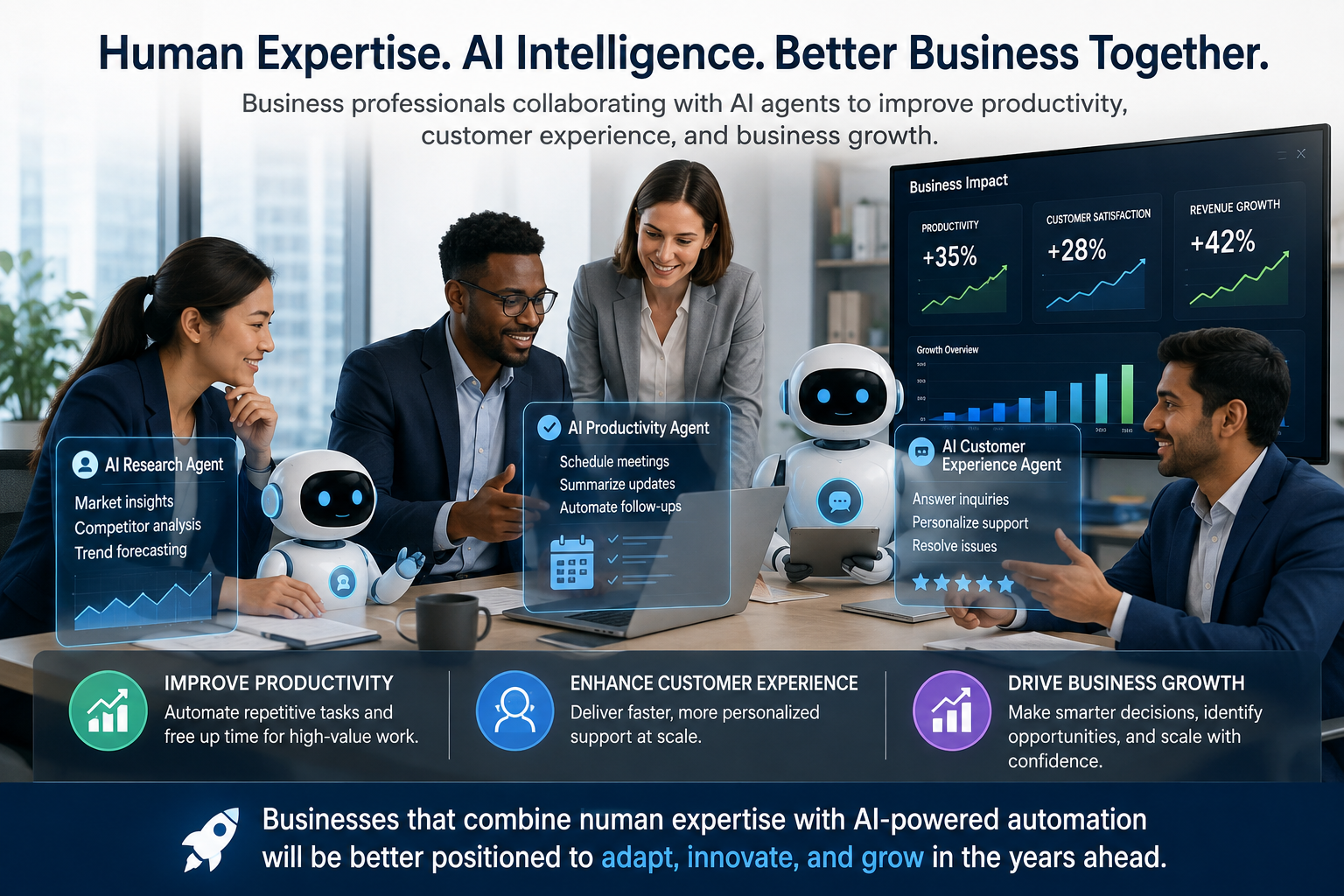
The future isn't about AI replacing people—it's about people working alongside AI. Employees will spend less time on repetitive administrative work and more time solving problems, building relationships, and making strategic decisions that require human expertise.
Looking Ahead
- ✓ AI agents will automate complete business workflows.
- ✓ Multiple AI agents will work together across departments.
- ✓ Businesses will deliver faster and more personalized customer experiences.
- ✓ Human employees will focus on creativity, leadership, and decision-making.
- ✓ Organizations that adopt AI thoughtfully today will be better prepared for tomorrow's opportunities.
Final Thoughts
AI agents are no longer a technology reserved for large enterprises. Today, businesses of all sizes can use them to automate repetitive work, improve customer experiences, reduce operational costs, and free employees to focus on tasks that require creativity, strategy, and human judgment. The greatest value doesn't come from replacing people—it comes from enabling people to accomplish more in less time.
If you're just getting started, avoid trying to automate your entire business at once. Identify one repetitive workflow, implement an AI agent, measure the results, and refine the process before expanding further. Small improvements made consistently often produce far greater long-term results than large, complex automation projects introduced too quickly.
Remember that successful AI adoption isn't measured by how many AI tools your business uses. It's measured by real business outcomes—saving time, reducing costs, improving customer satisfaction, increasing productivity, and helping your team focus on work that creates lasting value.
Key Takeaways
- ✓ Start with one repetitive business process.
- ✓ Choose AI agents that solve real business problems.
- ✓ Keep people involved in important decisions.
- ✓ Measure ROI using time saved, costs reduced, and customer satisfaction.
- ✓ Continuously improve your AI workflows as your business grows.
- ✓ View AI as a long-term business partner, not a short-term trend.
The businesses that gain the most from AI won't necessarily be the ones using the most advanced technology. They'll be the ones that solve meaningful problems, implement automation thoughtfully, and continually refine their processes based on real-world results. Start small, learn quickly, and let each successful AI workflow become the foundation for the next.