
Introduction: How to Use an EMI Calculator to Plan Loan Payments
Taking a loan can make it easier to manage a major financial purchase, but borrowing also creates a long-term repayment commitment. Whether you are considering a home loan, car loan, personal loan, education loan, or another type of instalment-based borrowing, understanding the expected monthly payment before you apply can help you make a more informed decision. One of the simplest ways to estimate this payment is by using an EMI calculator.
An EMI calculator allows you to estimate your Equated Monthly Instalment using a few basic loan details, usually the amount you want to borrow, the applicable interest rate, and the repayment tenure. Instead of calculating the monthly instalment manually, you can enter these figures into the calculator and receive an estimate within seconds.
However, simply knowing your EMI is not enough to decide whether a loan is right for you. A lower monthly payment can sometimes come with a longer repayment period and a higher total interest cost. Similarly, choosing a shorter tenure can reduce the overall interest but increase the amount you need to pay every month.
This is why an EMI calculator is most useful when you treat it as a planning tool rather than just a monthly payment calculator. You can use it to compare different loan amounts, interest rates, and tenures, understand the total cost of borrowing, and identify a repayment plan that is more suitable for your budget.
In this guide, we will explain what an EMI calculator is, how it works, how to use one step by step, and which results you should review before taking a loan. We will also look at how changing the loan tenure affects your EMI and total interest, common mistakes to avoid, and practical ways to decide whether a particular EMI is affordable.

What Is an EMI Calculator?
An EMI calculator is a financial tool that estimates the monthly instalment you may need to pay when repaying a loan. EMI stands for Equated Monthly Instalment, which generally represents the regular payment made toward both the principal amount borrowed and the interest charged by the lender.
Most online EMI calculators require three primary pieces of information: the loan amount, the interest rate, and the loan tenure. Once these details are entered, the calculator uses the relevant repayment formula to estimate the monthly EMI. Many calculators also display the total interest payable and the total amount that may be repaid over the complete loan period.
For example, suppose you want to borrow ₹10,00,000 at an annual interest rate of 10% for five years. Instead of manually calculating the monthly repayment, you can enter these three values into an EMI calculator. The calculator can then provide an estimated monthly payment and show how much you could pay in interest over the five-year period.
What Information Does an EMI Calculator Need?
Although different calculators may offer additional options, the basic calculation normally depends on three inputs.
1. Loan Amount
The loan amount is the principal you intend to borrow. A higher principal generally results in a higher EMI when the interest rate and tenure remain unchanged. Before entering this figure, it is useful to calculate how much money you actually need rather than automatically choosing the maximum amount a lender may offer.
2. Interest Rate
The interest rate is the rate charged by the lender for providing the loan. Even a relatively small difference in interest rates can affect the total cost of a loan, particularly when the borrowed amount is large or the repayment period is long. When using an EMI calculator, enter the interest rate applicable to the loan you are actually considering.
3. Loan Tenure
Loan tenure is the period over which you plan to repay the loan. It may be expressed in months or years depending on the calculator. A longer tenure generally reduces the monthly EMI because the repayment is spread across more instalments. However, the longer repayment period can also increase the total interest paid.
Why Is an EMI Calculator Useful?
The biggest advantage of an EMI calculator is that it makes loan planning easier. You do not have to wait for a lender to provide a repayment illustration before understanding the approximate monthly commitment. You can test different combinations yourself and see how each change affects the loan.
This makes an EMI calculator particularly useful during the early stages of financial planning. If the estimated EMI is too high, you can reduce the loan amount, compare another interest rate, or explore a different tenure before moving forward with an application.
How Does an EMI Calculator Work?
An EMI calculator works by using the loan principal, monthly interest rate, and total number of monthly payments to determine the periodic repayment amount. The calculation is based on a standard mathematical formula used for loans where the borrower makes regular instalments.
The standard EMI formula can be represented as:
EMI = P × r × (1 + r)ⁿ ÷ [(1 + r)ⁿ − 1]
In this formula, P represents the principal loan amount, r represents the monthly interest rate, and n represents the total number of monthly instalments. If the lender provides an annual interest rate, it needs to be converted into a monthly rate for the calculation.
For example, if a loan has an annual interest rate of 10%, the monthly rate used in the calculation is based on that annual percentage divided by 12. Similarly, if the loan tenure is five years, the calculation generally considers 60 monthly instalments.
What Happens When You Change the Loan Amount?
Increasing the loan amount generally increases the EMI if the interest rate and tenure remain unchanged. For example, borrowing ₹15 lakh will normally require a higher monthly payment than borrowing ₹10 lakh under the same interest rate and repayment period.
This is one reason it is useful to calculate the EMI for the amount you genuinely need. Borrowing extra money simply because a larger loan is available can increase both your monthly obligation and the total interest you pay.
What Happens When You Change the Interest Rate?
The interest rate directly affects the cost of borrowing. If the loan amount and tenure remain the same, a higher interest rate generally results in a higher EMI and greater total interest payable.
This makes an EMI calculator useful when comparing loan offers. For instance, you can enter the interest rate offered by one lender and then repeat the calculation using another lender's rate. The difference can help you understand whether a seemingly small rate difference has a meaningful effect on the repayment cost.
What Happens When You Change the Tenure?
Changing the tenure affects the number of instalments over which the loan is repaid. Increasing the tenure usually lowers the monthly EMI because the repayment is distributed over a greater number of months.
However, a longer tenure does not necessarily make the loan cheaper. Because interest may be charged over a longer period, the total interest payable can increase. Conversely, reducing the tenure generally increases the monthly EMI but can reduce the overall interest cost.
Why Should You Experiment With the Calculator?
The real value of an EMI calculator comes from comparing scenarios. Instead of entering one set of numbers and accepting the first result, try different loan amounts and repayment periods. This can show you whether paying a slightly higher EMI could substantially reduce your total interest or whether a longer tenure provides useful flexibility for your monthly budget.
By understanding how each input affects the result, you can use an EMI calculator to plan your loan rather than simply calculate it. This is especially important for long-term borrowing, where a small difference in monthly repayment or interest rate can add up over many years.
Why Should You Use an EMI Calculator Before Taking a Loan?
Before taking a loan, it is important to understand not only whether you qualify for the borrowing amount but also whether the repayment fits comfortably into your financial plan. An EMI calculator can help you estimate this commitment before you submit a loan application or agree to a lender's terms.
Without calculating the EMI in advance, it can be easy to focus on the amount you want to borrow while overlooking the monthly repayment and total interest. A loan may appear affordable because the lender offers a long repayment period, but the longer tenure can increase the total cost of borrowing.
Using an EMI calculator allows you to test different combinations of loan amount, interest rate, and tenure. This makes it easier to identify a repayment structure that works with your income, existing financial commitments, and long-term goals.
Plan Your Monthly Budget
Your EMI becomes a recurring monthly expense for the duration of the loan. Calculating it before borrowing allows you to include the expected payment in your monthly budget. You can then assess how much income remains for rent, household expenses, savings, investments, insurance, and other obligations.
This is particularly important for long-term loans because an EMI can remain part of your monthly budget for several years. A payment that looks manageable today should also remain reasonably manageable if your expenses increase or your income changes in the future.
Compare Different Loan Amounts
An EMI calculator can help you determine whether you really need the full amount you are considering. Try calculating the EMI for several loan amounts instead of using only one figure.
For example, you might compare a ₹8 lakh, ₹10 lakh, and ₹12 lakh loan. The difference in monthly EMI can help you understand whether borrowing an additional amount is worth the extra repayment obligation and interest cost.
Compare Interest Rates
If you receive loan offers from multiple lenders, enter each quoted interest rate into the calculator. Keeping the loan amount and tenure the same makes it easier to see how the interest rate affects the EMI and total repayment.
However, interest rate should not be the only factor you compare. Processing fees, prepayment terms, penalties, insurance requirements, repayment conditions, and other loan-specific charges may also affect the overall cost.
Understand the Cost of a Longer Tenure
A longer tenure can make the monthly EMI more manageable because the repayment is distributed over a larger number of instalments. However, the lower EMI can come with a higher total interest cost.
By comparing different tenures in an EMI calculator, you can see whether the reduction in monthly payment justifies the additional interest you may pay over the life of the loan.
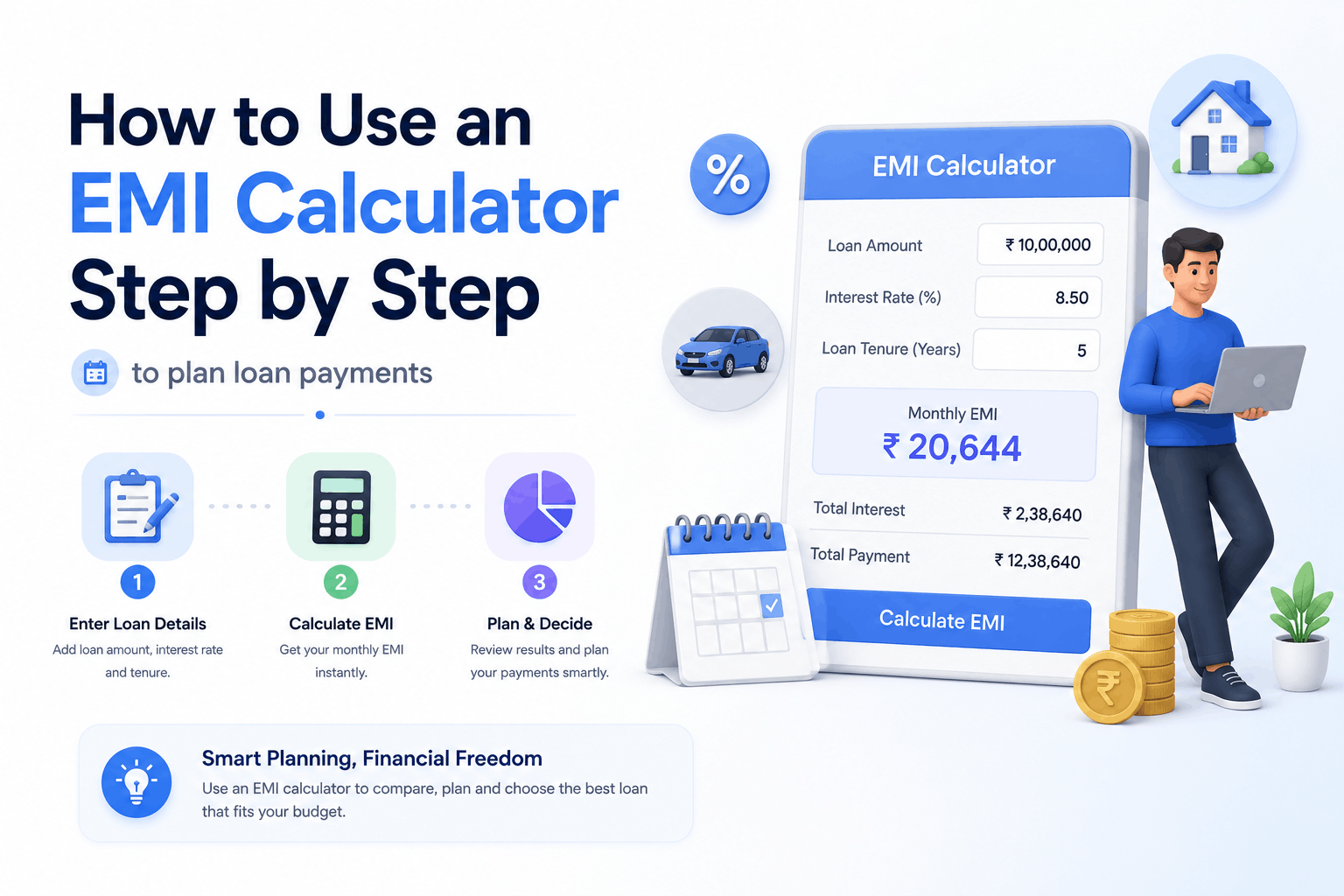
How to Use an EMI Calculator Step by Step
Using an EMI calculator is generally straightforward, but getting a useful result depends on entering realistic information. The following steps can help you use the calculator effectively when planning a loan.
Step 1: Decide How Much You Need to Borrow
Start by estimating the actual amount you need. Avoid automatically entering the maximum loan amount available to you. Borrowing more increases the principal that must be repaid and can increase both the EMI and total interest.
If you are purchasing an asset, consider how much you can contribute from your own funds and calculate the remaining amount that would need to be financed. This can give you a more realistic starting point for the EMI calculation.
Step 2: Enter the Loan Amount
Enter the amount you expect to borrow into the loan amount field. For example, if you plan to take a ₹10,00,000 loan, enter ₹10,00,000.
If you are still deciding how much to borrow, calculate multiple amounts. This can help you identify a loan size that provides what you need without creating an unnecessarily high monthly obligation.
Step 3: Enter the Interest Rate
Enter the annual interest rate quoted by the lender. For example, if the lender offers the loan at 10% per year, enter 10% in the calculator.
Make sure you enter the rate that actually applies to the loan you are evaluating. If you are comparing multiple lenders, run a separate calculation for each interest rate rather than using an average rate.
Step 4: Enter the Loan Tenure
Next, enter the repayment tenure. Depending on the calculator, you may be able to enter the tenure in years or months. For example, a five-year loan generally represents 60 monthly instalments.
Do not select a tenure simply because it produces the lowest EMI. Calculate at least two or three different tenures so you can compare monthly affordability with the overall repayment cost.
Step 5: Review the Estimated EMI
Once you enter the loan amount, interest rate, and tenure, the calculator will display an estimated monthly EMI. This gives you a starting point for evaluating the loan against your monthly income and expenses.
Remember that the EMI shown by a calculator is an estimate based on the information provided. The final repayment amount can depend on the lender's specific terms, calculation methodology, fees, and other applicable charges.
Step 6: Check the Total Interest
After checking the EMI, look at the estimated total interest payable. This figure is important because it shows the additional amount you may pay to borrow the money over the selected tenure.
Two loans can have similar monthly EMIs but very different total interest costs if their tenures or interest rates differ. Reviewing this figure can prevent you from choosing a loan based only on monthly affordability.
Step 7: Check the Total Repayment
The total repayment amount represents the principal and interest paid across the repayment period. This provides a broader view of the cost of the loan.
Looking at total repayment alongside the EMI helps you understand the difference between what you borrow and what you eventually repay.
Step 8: Change the Inputs and Compare
The final step is to experiment with the calculator. Change the loan amount, interest rate, and tenure one at a time and observe how the results change. This gives you a clearer picture of which combination may be more suitable for your financial situation.
Example: EMI Calculation for a Sample Loan
A simple example can make the relationship between the loan amount, interest rate, tenure, and EMI easier to understand. Consider a borrower who is planning to take a ₹10,00,000 loan at an annual interest rate of 10% for a period of five years.
The basic loan details would look like this:
| Loan Detail | Example Value |
|---|---|
| Loan Amount | ₹10,00,000 |
| Annual Interest Rate | 10% |
| Loan Tenure | 5 years |
| Total Monthly Instalments | 60 |
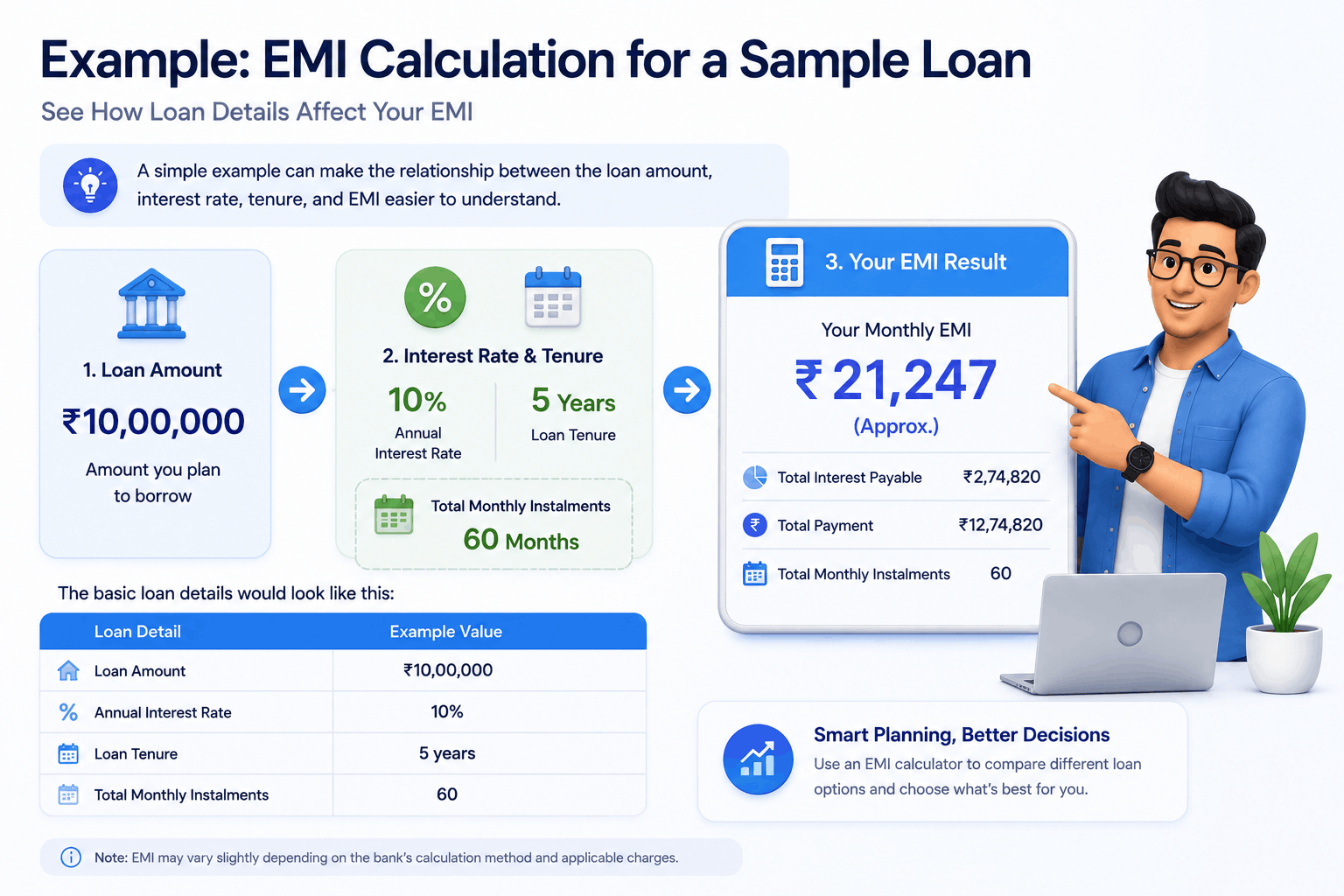
Using the standard EMI calculation, the estimated monthly instalment for these assumptions is approximately ₹21,247. This means the borrower would need to plan for a monthly payment of around ₹21,247 during the five-year repayment period.
Across 60 monthly payments, the total repayment would be approximately ₹12.75 lakh. The difference between the original ₹10 lakh principal and the total repayment represents approximately ₹2.75 lakh in interest, before considering any additional lender-specific charges.
What Does This Example Tell You?
The example demonstrates why looking only at the EMI can give an incomplete picture. A monthly payment of approximately ₹21,247 may appear manageable, but the borrower should also consider the total interest and total repayment over the entire five-year period.
The same ₹10 lakh loan could produce a different EMI if the interest rate changed. It would also produce a different monthly payment and total interest if the borrower selected a three-year or seven-year tenure.
This is why an EMI calculator becomes more useful when you use it to compare scenarios. Instead of asking only "What is my EMI?", you can ask "What happens to my EMI and total interest if I change the tenure, loan amount, or interest rate?"
How Tenure Changes Your EMI and Total Interest
Loan tenure is one of the most important factors to consider when planning repayments. It determines how many monthly instalments you will make and how long interest will be charged on the outstanding loan balance.
In general, increasing the tenure reduces the monthly EMI because the repayment is spread across more months. However, the borrower may pay more total interest because the loan remains outstanding for a longer period.
| Tenure | Approx. EMI | General Effect |
|---|---|---|
| 3 years | ₹32,267 | Higher EMI and generally lower total interest |
| 5 years | ₹21,247 | Moderate EMI and repayment cost |
| 7 years | ₹16,601 | Lower EMI and generally higher total interest |
Shorter Tenure: Higher EMI, Lower Interest
Choosing a shorter tenure means you repay the loan faster. Because the principal must be cleared over fewer instalments, the monthly EMI is generally higher. The advantage is that interest is paid over a shorter period, which can reduce the overall borrowing cost.
A shorter tenure may therefore be suitable for borrowers who have sufficient monthly cash flow to handle a larger EMI without putting pressure on essential expenses and savings.
Longer Tenure: Lower EMI, Higher Interest
A longer tenure spreads the repayment across more months. This generally reduces the EMI and may make the loan easier to manage from month to month.
The trade-off is that the borrower may pay interest for a longer period. As a result, the total interest can be significantly higher even though the monthly EMI is lower.
How Should You Choose the Tenure?
Instead of choosing a tenure solely because it produces the lowest EMI, compare several options using an EMI calculator. Consider the monthly payment, total interest, total repayment, and your expected financial flexibility. The ideal tenure is one that keeps the EMI manageable without unnecessarily increasing the overall cost of the loan.
What Results Should You Look at Besides the EMI?
The EMI is often the first number borrowers notice, but it should not be the only number you consider. A proper loan comparison requires looking at the total repayment cost and understanding how the loan behaves over its full tenure.
Total Interest Payable
Total interest shows approximately how much you may pay to the lender in addition to the principal. Comparing this figure across different tenures can reveal the cost of choosing a longer repayment period.
Total Amount Payable
Total repayment combines the principal and estimated interest. It gives you a clearer idea of the overall financial commitment than the EMI alone.
Number of Instalments
Check the number of monthly payments required to complete the loan. A lower EMI may mean that you are committing to a larger number of instalments.
Impact of the Interest Rate
When comparing loans, look at how changes in the interest rate affect both the EMI and total interest. A small rate difference can become more significant over a long repayment period.
How to Decide if an EMI Is Affordable
An affordable EMI is not simply one that you can pay this month. It should fit into your broader financial plan without leaving you with too little money for essential expenses, savings, emergencies, and other commitments.
Start by reviewing your regular monthly income and expenses. Then consider your existing loan EMIs and other fixed financial obligations. Add the proposed new EMI to these commitments and assess how much disposable income would remain.
Consider Existing Loan Payments
If you already have one or more loans, the new EMI should be evaluated alongside your existing repayments. Looking at only the new EMI can make the loan appear more affordable than it actually is.
Account for Regular Expenses
Include rent, household expenses, utilities, insurance, education costs, subscriptions, transportation, and other recurring expenses when reviewing your budget.
Leave Room for Unexpected Costs
Avoid planning your finances so tightly that almost all available income is committed to expenses and EMIs. A financial buffer can make it easier to manage unexpected expenses without disrupting your loan repayments.
Common Mistakes People Make When Using an EMI Calculator
An EMI calculator is simple to use, but borrowers can still make mistakes when interpreting the results. Understanding these mistakes can help you use the calculator more effectively.
Using the Wrong Interest Rate
Entering an estimated or outdated interest rate can produce a repayment figure that does not match the actual loan offer. Always use the rate relevant to the loan you are evaluating.
Focusing Only on the Lowest EMI
A low EMI can be attractive, but it may result from a long tenure. Always compare the total interest and total repayment before selecting the lowest monthly payment.
Borrowing More Than Necessary
A lender may approve a larger loan amount than you actually need. Borrowing extra money increases the principal and can increase your monthly repayment and overall interest cost.
Ignoring Existing Financial Commitments
The EMI calculator generally evaluates the new loan. It does not know about your rent, existing loans, household expenses, or savings goals. You must consider these separately when assessing affordability.
Forgetting Additional Loan Costs
Basic EMI calculations may not include processing fees, documentation charges, insurance, taxes, or other lender-specific costs. Review the complete loan offer before making a final decision.
EMI Calculator vs Amortization Calculator: What Is the Difference?
An EMI calculator and an amortization calculator are related tools, but they are generally used for different levels of loan analysis. An EMI calculator focuses primarily on estimating the regular loan payment using the principal, interest rate, and tenure.
An amortization calculator or schedule provides a more detailed view of how the loan balance changes over the repayment period. It can show how each payment is divided between principal and interest and how much of the loan remains outstanding after each instalment.
| Feature | EMI Calculator | Amortization Calculator |
|---|---|---|
| Main Purpose | Estimate the regular EMI | Analyze the loan repayment schedule |
| Monthly EMI | Yes | Usually included |
| Total Interest | Usually shown | Usually shown in detail |
| Principal vs Interest Breakdown | Limited or unavailable | Detailed payment-by-payment breakdown |
If you only want to know your approximate monthly payment, an EMI calculator is usually sufficient. If you want to understand exactly how each payment affects the principal and interest balance, an amortization schedule provides more detailed information.
Best Practices for Planning Loan Payments With an EMI Calculator
An EMI calculator becomes more useful when you use it as part of a broader loan-planning process. Rather than calculating one EMI and immediately deciding, compare several realistic scenarios.
Calculate the Amount You Actually Need
Start with your actual funding requirement. Avoid increasing the loan amount simply because you qualify for a higher limit. A smaller principal can reduce both the monthly EMI and total interest.
Compare at Least Two or Three Tenures
Enter different repayment periods and compare the resulting EMI with the total interest. This helps you understand the real cost of choosing a longer or shorter tenure.
Compare Lenders Carefully
When comparing lenders, look beyond the advertised EMI. Consider the interest rate, processing fees, repayment conditions, prepayment rules, and other applicable charges.
Test a Higher Interest Rate
If the interest rate is variable or could change in the future, it can be useful to calculate a higher-rate scenario to understand how your repayment might be affected.
Consider Potential Prepayment
If you expect to make additional payments toward your loan, check whether your EMI or amortization calculator includes a prepayment feature. If it does not, review the lender's prepayment terms and calculate the potential impact separately.
Keep a Financial Buffer
Avoid selecting an EMI that consumes almost all of your available monthly income. Leaving some room in your budget can make it easier to handle unexpected expenses and changes in your financial situation.
Frequently Asked Questions
1. What Does EMI Mean in a Loan?
EMI stands for Equated Monthly Instalment. It is the regular amount paid toward a loan according to the agreed repayment schedule. An EMI generally includes both a principal component and an interest component.
2. Is an EMI Calculator Accurate?
An EMI calculator can provide an accurate mathematical estimate when the loan amount, interest rate, and tenure are entered correctly. However, the final repayment amount from a lender can differ because of lender-specific calculation methods, rounding, fees, taxes, or other loan terms.
3. Can I Use an EMI Calculator for Home Loans and Car Loans?
Yes. An EMI calculator can generally be used for home loans, car loans, personal loans, education loans, and other loans that are repaid through regular instalments. You simply need to enter the relevant loan amount, interest rate, and repayment tenure.
4. Does a Lower EMI Always Mean a Better Loan?
No. A lower EMI can result from choosing a longer tenure. While the smaller monthly payment may be easier to manage, the longer repayment period can increase the total interest paid. Compare both EMI and total repayment before deciding.
5. What Interest Rate Should I Enter in the Calculator?
Enter the interest rate applicable to the loan you are considering. If you are comparing several lenders, calculate each offer separately using its quoted interest rate so you can compare the results more accurately.
6. Can I Check the Impact of Prepayment With an EMI Calculator?
Some EMI or loan calculators provide a prepayment feature, while simpler calculators may not. If your calculator does not support prepayment, you may need an amortization or prepayment calculation to estimate how additional payments could affect the loan.
7. How Do I Know How Much Loan I Can Afford?
Start by reviewing your monthly income, regular expenses, existing debt payments, and savings requirements. Then use an EMI calculator to test different loan amounts and choose a repayment amount that leaves enough room in your overall budget.
8. Should I Choose a Short Tenure or a Long Tenure?
A short tenure generally results in a higher EMI but can reduce the total interest paid. A long tenure generally produces a lower EMI but can increase the total interest. Compare both options and choose a tenure that balances affordability with the overall borrowing cost.
9. Are Taxes and Fees Included in EMI Calculator Results?
Not necessarily. A basic EMI calculation generally focuses on the principal, interest rate, and repayment tenure. Processing fees, documentation charges, insurance, taxes, and other costs may need to be considered separately.
10. What Should I Do After Calculating My EMI?
Treat the calculated EMI as the starting point for your loan decision. Compare lenders, review the interest rate and fees, check the repayment schedule, assess your monthly budget, understand prepayment conditions, and carefully review the final loan agreement before accepting the offer.
Final Thoughts: Use an EMI Calculator Before You Borrow
An EMI calculator can make loan planning considerably easier by turning a few basic loan details into a practical estimate of your monthly repayment. More importantly, it allows you to experiment with different loan amounts, interest rates, and tenures before committing to a loan.
When using an EMI calculator, avoid focusing only on the monthly EMI. Review the total interest, total repayment, number of instalments, and other costs that may apply to the loan. A lower EMI is not automatically a cheaper loan, especially when it comes with a significantly longer tenure.
The best approach is to calculate several realistic scenarios and then compare them against your monthly budget and long-term financial goals. This can help you decide how much to borrow and which repayment period may be more comfortable.
Finally, remember that an EMI calculator provides an estimate based on the information entered. Before taking a loan, verify the lender's actual interest rate, fees, repayment schedule, prepayment conditions, and other terms. Used thoughtfully, an EMI calculator can be a valuable first step toward planning loan payments with greater clarity and confidence.